Guides & Tutorials
Learn how to use our products with comprehensive guides and tutorials
Either virtual or RAID disk is present
Turn off virtual disk or RAID in the BIOS and disable Intel Rapid Storage Technology (RST) if available. If this doesn't resolve the issue, find drivers/services that starts with "iaStor" by using DriverView or ProcessHacker to find them and disable the service. If all that didn't help, try reinstalling Windows.
Advanced fix:
Read this article to disable RAID/IRST as safe as possible in case if Windows was installed on RAID/IRST.
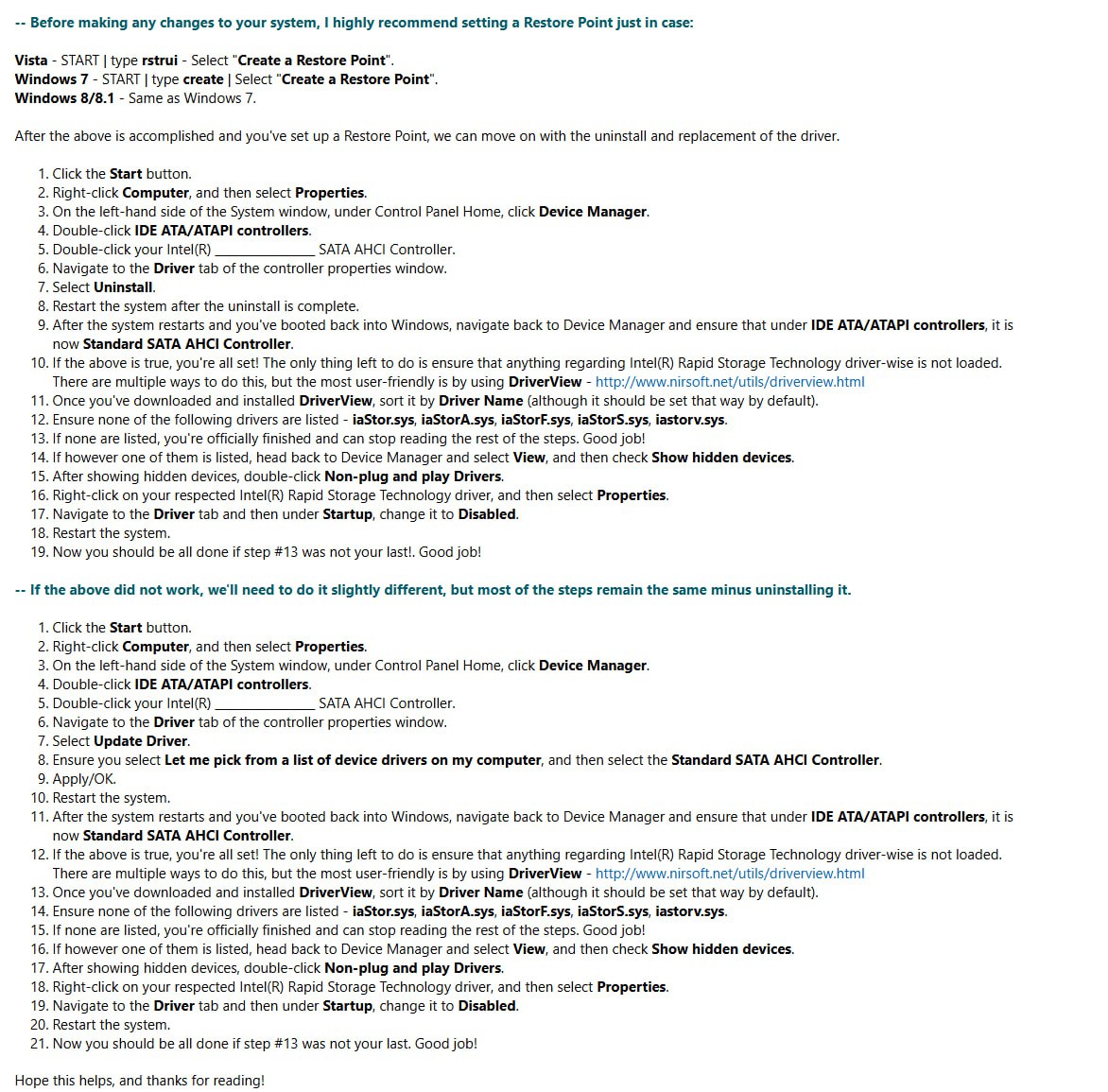
If you have IRST/RAID disabled, you need to disable all drivers/services that start with "iaStor" by using DriverView or ProcessHacker to find them, this article might help to get more information
If RAID/Intel Rapid Storage disable already, please follow instructions on image below:
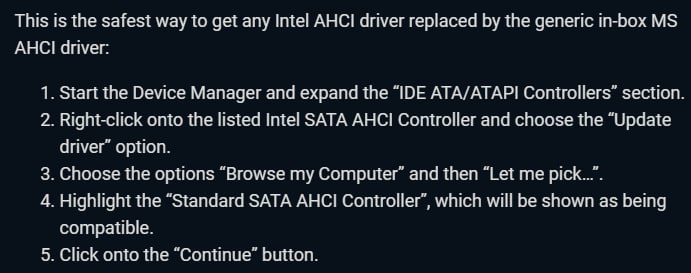
If did not help, please follow instructions on image below: